
Mantenho um diário digital há quase oito anos. Começou como um sítio para esvaziar a cabeça depois de um dia longo e, aos poucos, tornou-se a minha memória externa: notas de viagem, registo do humor, aquela ideia da uma da manhã que parecia genial até chegar a manhã.
Depois, há uns anos, as apps em que eu confiava começaram a mudar.
As apps passaram a pôr as receitas à frente das pessoas que escrevem nelas.
Cada vez mais funções passaram para trás de subscrições mensais. E quando chegou a IA na nuvem, comecei a perguntar-me para onde ia a minha escrita mais pessoal, e quem ou o quê a estava a ler. Um diário é o último sítio onde quero descobrir a resposta da pior maneira.
Por isso passei umas semanas com as maiores apps de diário para ver quais ainda respeitam quem escreve. Em baixo está o que descobri, e porque acabei por criar a minha própria app para a lacuna com que me cruzava constantemente.
A pergunta que não parava de fazer: porque é que um diário é tão caro?
1. Day One: o clássico polido
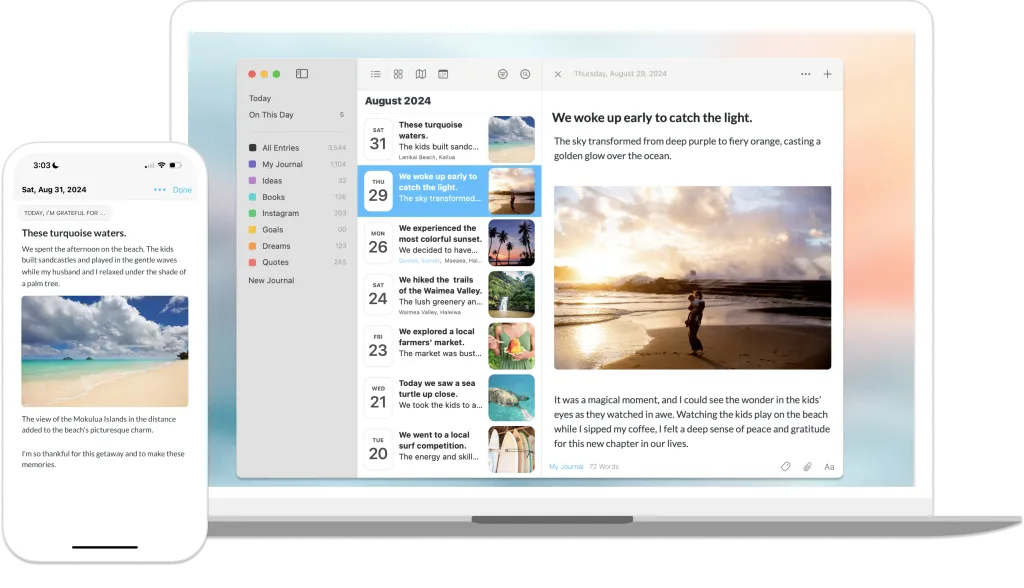
Como é. Premium, polida e bem desenhada. O Day One é a app de diário mais conhecida por uma razão: adicionar fotos e localização é simples, e simplesmente funciona.
O senão. O preço. O Day One é construído à volta de subscrições. Usá-lo em mais de um dispositivo, sincronizar ou adicionar mais de uma foto a uma entrada exige um plano pago. Em 2026 acrescentou também um nível Gold mais caro para as funções de IA, como as perguntas Go Deeper e os resumos de entradas. Nos iPhone com Apple Intelligence, algumas dessas perguntas correm no dispositivo. E sempre pareceu mais à vontade nos dispositivos Apple, com o Android e a web em segundo plano.
A minha opinião: bonito, mas as melhores partes continuam a subir de preço.
2. Journey: a opção multiplataforma
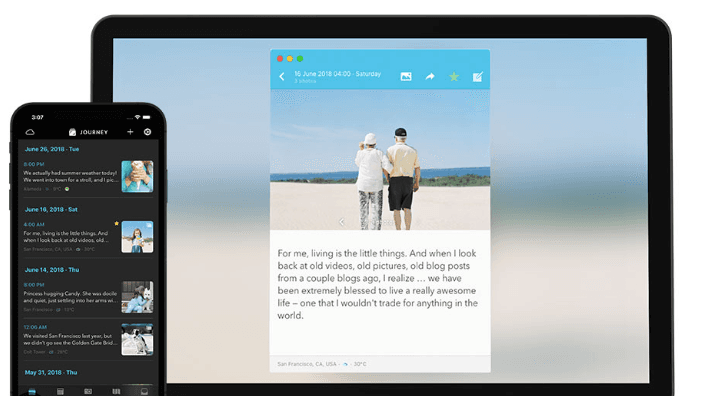
Como é. A alternativa ao Day One mais comum no Android e no Windows. O Journey funciona em muitas plataformas, tem uma boa vista de calendário e registo do humor, e pode adicionar o tempo e a localização por ti. Oferece encriptação ponta a ponta e um Journal Coach com programas guiados.
O senão. A subscrição. O Journey passou claramente para um modelo de assinatura, e a interface, embora funcional, parece mais uma ferramenta do que um diário pessoal.
A minha opinião: uma app sólida que ficou cara para o que oferece, e que já mostra a idade.
3. Notion: o diário feito por ti
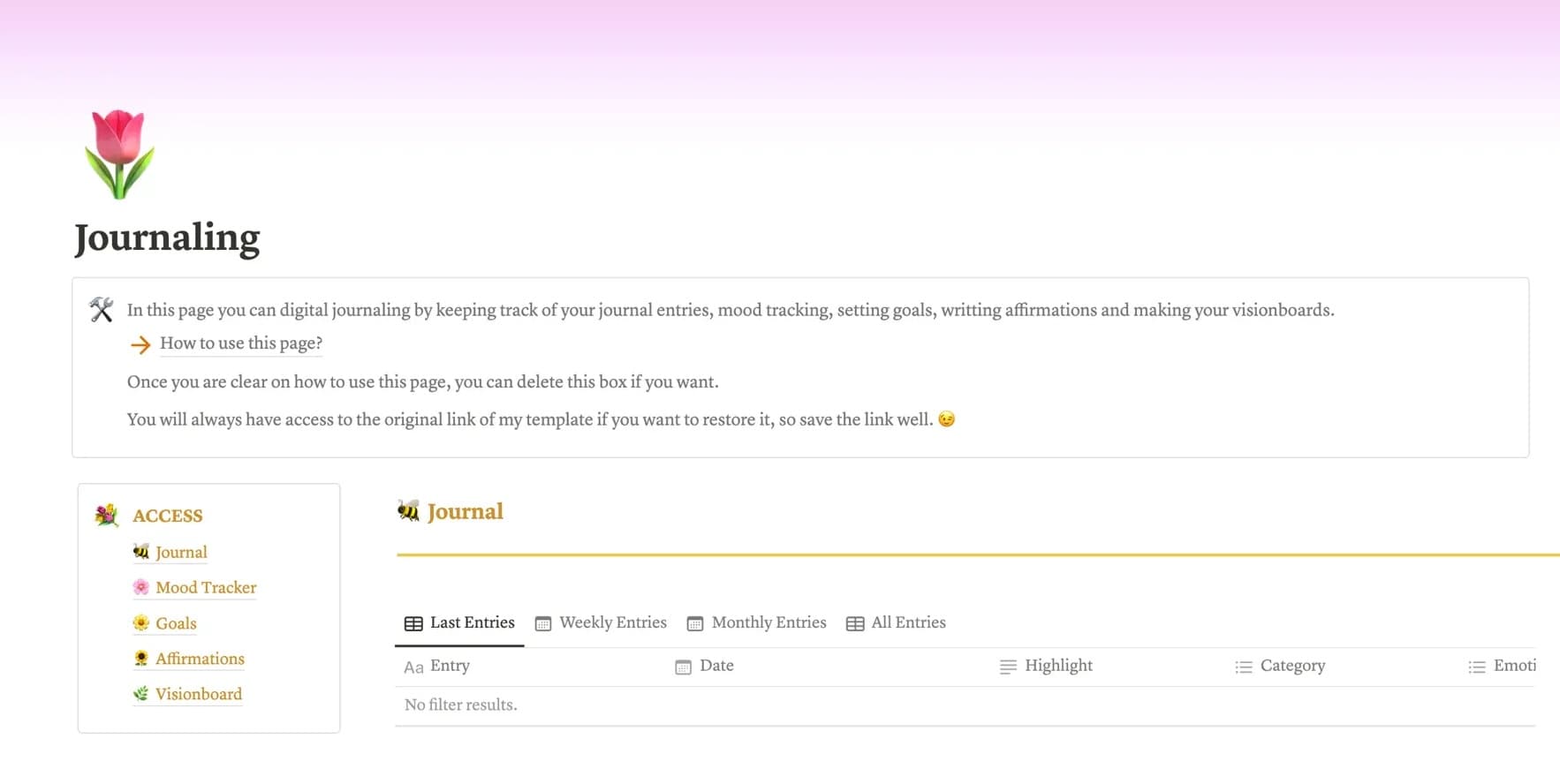
Como é. Possibilidades infinitas. Muitos fãs de produtividade (eu incluído) já tentaram gerir o diário, e a vida, no Notion: bases de dados personalizadas, etiquetas em tudo, painéis.
O senão. A complexidade. O Notion é primeiro um espaço de trabalho e só muito depois um diário. Abri-lo para escrever um pensamento emotivo é como abrir uma folha de cálculo para escrever uma carta de amor. Também é limitado offline, por isso num avião ou sem rede a maior parte do que é útil não funciona, e no telemóvel pode parecer lento.
A minha opinião: ótimo para projetos, desajeitado para guardar um sentimento antes que desapareça.
4. Inner Journal: a app que eu criei
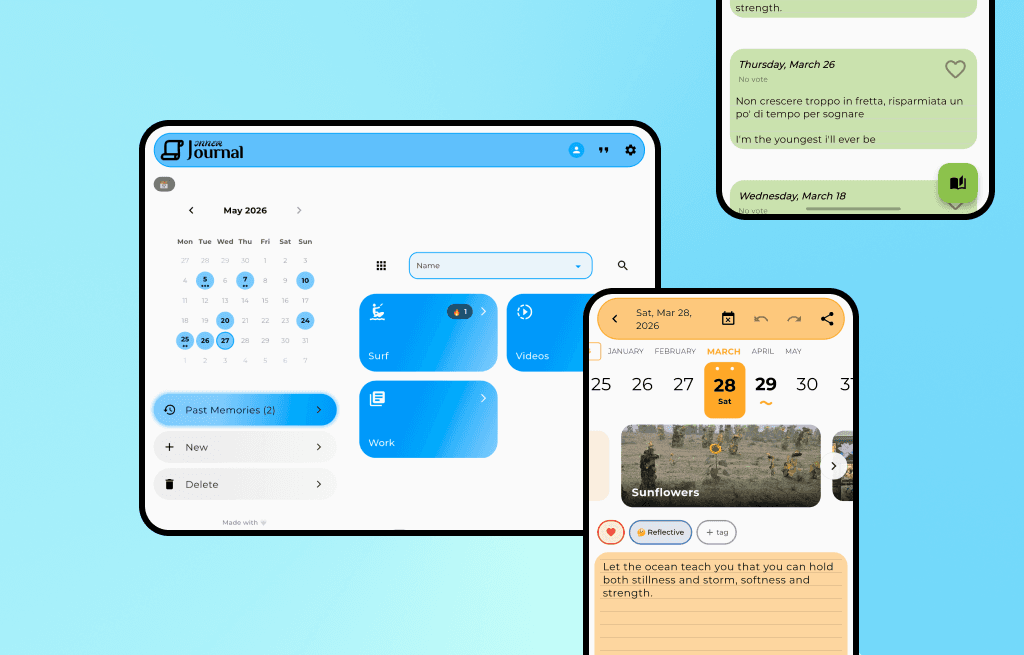
Olá, sou o Rick, e criei esta app.
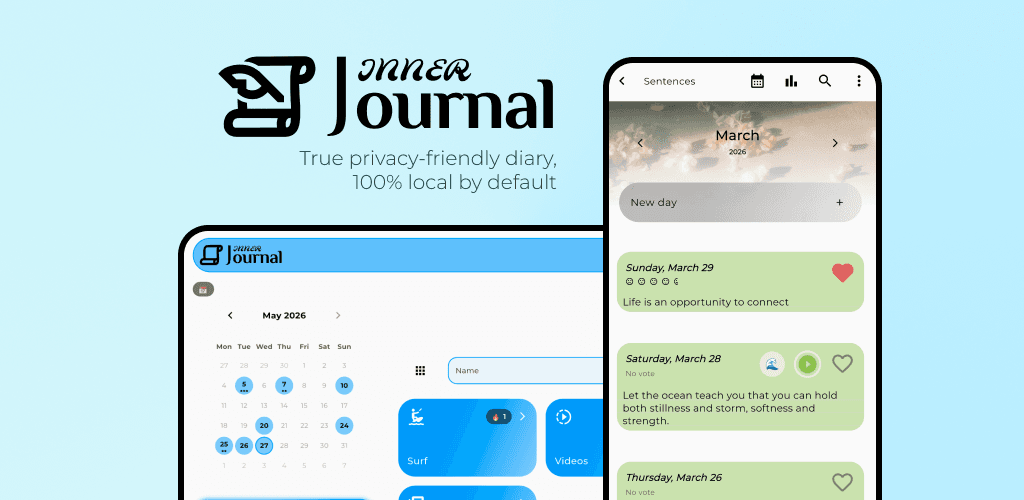
A certa altura escrevia o meu diário num documento do Word, porque mais nada parecia meu. Como programador e designer, decidi criar o diário que eu queria: um em que os dados são teus, e em que ninguém treina uma IA com as tuas entradas.
A app está no Android desde 2021. Depois veio a app web, e o iOS chegou em junho de 2026.
As avaliações nas lojas estão cheias de pessoas que não conseguem exportar o que escreveram, ou que perderam funções para um novo paywall. Tentei pegar nessas frustrações uma a uma e desenhar a app à volta delas. Estes são os princípios em que o Inner Journal assenta.
Personalização a fundo
A maioria das apps dá-te um modo claro e um modo escuro. O Inner Journal dá-te mais de 250 cores em 20 famílias, 20 tipos de letra, padrões de página que lembram papel, e controlo sobre o calendário, os cartões dos dias e muito mais. Com o Plus podes também mudar a app inteira para outro estilo, como Vidro ou 3D.
É um pormenor, mas um diário que gostas de ver é um diário que abres.
Escrever é grátis, e quase tudo o resto também
Criei a app para que o diário do dia a dia nunca esbarre num paywall. A versão grátis inclui:
Diários e entradas ilimitados, com um humor e um emoji para cada dia
Fotos (até 50 por dia) e notas de voz, que podes transcrever no teu dispositivo
A barra de formatação: negrito, itálico, títulos e citações
Gráficos e estatísticas sobre o teu humor e a tua escrita
O assistente de IA offline: resumo do mês, perguntas sobre o teu mês, humor sugerido, ditado e reescrita
Exportação para PDF e Excel, além de cópias de segurança locais e no Google Drive
Sincronização na nuvem para 2 diários à tua escolha, e encriptação ponta a ponta em todas as contas
Importação do teu histórico a partir do Apple Journal, do Diarium ou do Daylio
Personalização visual completa
Alguns extras ajudam-me a continuar a trabalhar na app a tempo inteiro. Blocos do dia deixa-te escrever um dia em várias partes, Tags do dia acrescenta tags para filtrar, o Editor avançado acrescenta pré-visualização ao vivo, tabelas, links e a escolha dos níveis de título, e o Calendário da tela inicial mostra todos os diários num só calendário. Todos vêm com o Plus, e cada um também pode ser comprado uma vez e ficar teu para sempre.
Privacidade e IA que ficam no teu telemóvel
Esta era a minha maior prioridade. O teu diário vive primeiro no teu dispositivo. Só sai de lá quando ativas a sincronização ou escolhes uma cópia de segurança, e os diários sincronizados podem ter encriptação ponta a ponta com uma frase-passe que só tu conheces. Os detalhes estão na página do diário privado.
Não acho que um diário precise de uma IA. Mas, usada com cuidado, pode mostrar-te coisas do teu mês que te escapariam, ou fazer-te uma pergunta melhor sobre o teu dia. Os modelos de IA pequenos já cabem num telemóvel, por isso o Inner Journal corre o assistente no dispositivo: nada do que escreves é enviado para isso, e depois de configurado funciona offline. Precisas de um dispositivo compatível e, no Android, de descarregar um modelo uma única vez. Escrevi mais sobre essa escolha em IA no dispositivo ou na nuvem.
Preços que não te castigam por escreveres
O Inner Journal não tem anúncios. Dois diários sincronizam de graça entre o telemóvel, o tablet e a web, escolhes tu quais e podes mudar de ideias mais tarde. Se quiseres sincronizar todos os diários e ter todas as funções extra, há o Plus, mensal, anual ou numa compra única vitalícia. Se preferires não subscrever, os quatro extras acima podem ser comprados uma vez cada um. A página do Plus compara o Free e o Plus lado a lado.
Sou um único programador, não uma grande empresa, e prefiro ganhar a tua confiança a espremer a tua carteira. Espero que te seja útil.
A comparação
Se estás a pagar muito só para sincronizar texto, ou se não te agrada a ideia de uma IA na nuvem ler as tuas entradas, eis como as quatro se comparam.
Dados da concorrência verificados em setembro de 2026. Estas apps mudam os planos com frequência, por isso consulta as páginas de preços antes de decidires.
Funcionalidade | Day One | Journey | Notion | Inner Journal |
|---|---|---|---|---|
Ideal para | Ecossistema Apple | Sincronizar Android e PC | Configurações feitas por ti | Privacidade e personalização |
Modelo de preço | Subscrição necessária para sincronizar | Subscrição | Grátis ou subscrição | Sincronização grátis para 2 diários, depois subscrição ou compras únicas |
Privacidade dos dados | Encriptação E2E, sincronização paga | Oferece encriptação E2E | Nuvem normal | Local primeiro, encriptação E2E grátis |
IA | Nível Gold pago, em parte no dispositivo na Apple | Perguntas do Journal Coach | Na nuvem, paga | No dispositivo e grátis |
Personalização | Baixa (temas fixos) | Baixa | Alta, mas complexa | Alta (250+ cores, 20 tipos de letra, estilos da app) |
Offline | Sim | Sim | Parcial | Sim |
Qual deves escolher?
Se vives totalmente no mundo Apple e não te importas com uma subscrição, o Day One é excelente. Se queres um sistema de vida ao estilo de uma folha de cálculo, o Notion recompensa o tempo de configuração. Se queres um diário privado e bonito que funcione no Android, no iPhone e na web sem pagares para sincronizar os primeiros diários, é esse que eu criei.
Funciona em 20 línguas, e se vens do Apple Journal, do Diarium ou do Daylio, podes trazer as tuas entradas contigo.
Descarrega o Inner Journal grátis na App Store ou no Google Play.
Tens feedback, ou algo em que me enganei? Leio tudo, por isso fala comigo a partir da app ou em contact@journalpersonaldiary.com.
Feito com amor 🤍 Rick