
I've kept a digital diary for almost eight years. It started as a place to empty my head after a long day and slowly became my external memory: travel notes, mood tracking, the odd idea at 1 a.m. that looked brilliant until morning.
Then, a few years ago, the apps I relied on started to change.
The apps changed to put revenue ahead of the people writing in them.
More and more features moved behind monthly subscriptions. And once cloud AI arrived, I started wondering where my most personal writing was going, and who or what was reading it. A diary is the last place I want to find out the answer the hard way.
So I spent a few weeks with the biggest journaling apps to see which of them still respect the person writing. Below is what I found, and why I ended up building my own app for the gap I kept running into.
The question I kept asking: why is a diary this expensive?
1. Day One: the polished classic
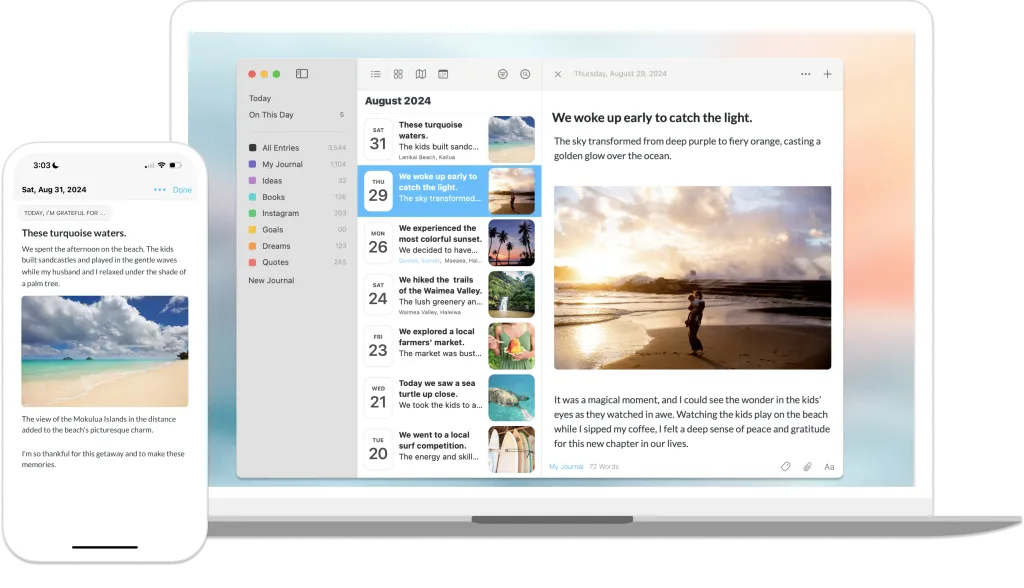
What it's like. Premium, polished and well designed. Day One is the best-known journaling app for a reason: adding photos and location is smooth, and it simply works.
The catch. The price. Day One is built around subscriptions. Using it on more than one device, syncing, or adding more than one photo to an entry all need a paid plan. In 2026 it also added a higher Gold tier for its AI features, like Go Deeper prompts and entry summaries. On iPhones with Apple Intelligence, some of those prompts run on the device. And it has always felt most at home on Apple devices, with Android and the web as a second thought.
My take: beautiful, but the good parts keep moving up the price list.
2. Journey: the cross-platform option
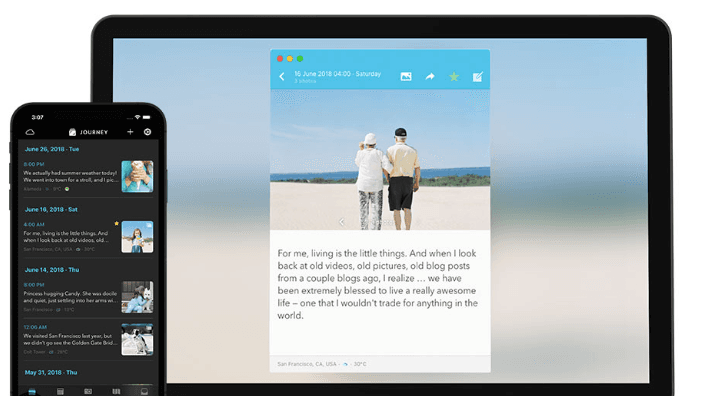
What it's like. The most common Day One alternative for Android and Windows. Journey works across a lot of platforms, has a good calendar view and mood tracking, and can add weather and location for you. It offers end-to-end encryption and a Journal Coach with guided programs.
The catch. The subscription. Journey has moved firmly to a membership model, and its interface, while functional, feels more like a tool than a personal diary.
My take: a solid app that has become expensive for what it offers, and it looks its age.
3. Notion: the do-it-yourself journal
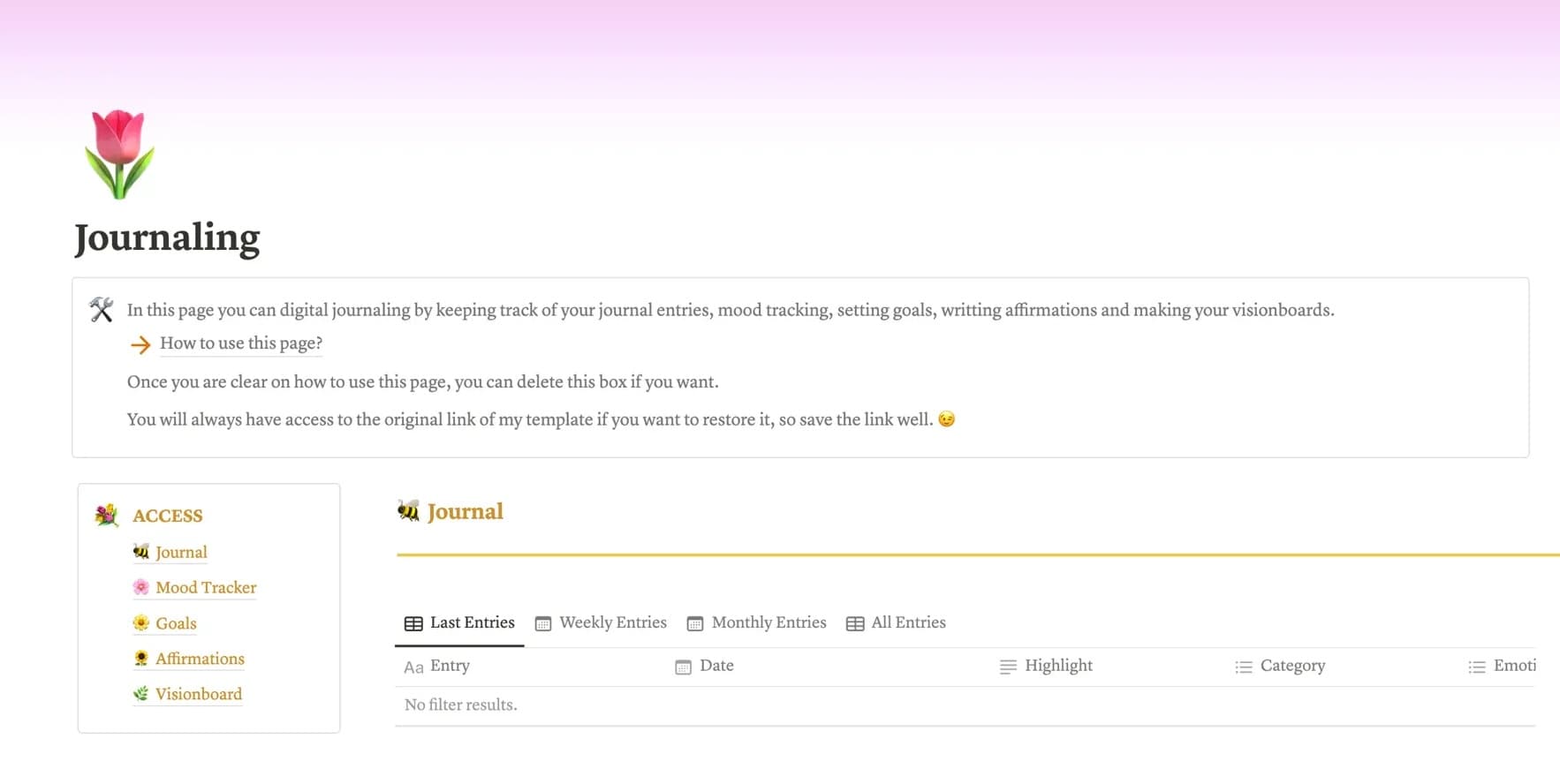
What it's like. Endless possibilities. Plenty of productivity fans (me included) have tried to run their journal, and their life, in Notion: custom databases, tags on everything, dashboards.
The catch. Complexity. Notion is a workspace first and a diary a distant second. Opening it to write down one emotional thought feels like opening a spreadsheet to write a love letter. It's also limited offline, so on a plane or out of signal most of the useful parts don't work, and on a phone it can feel slow.
My take: great for projects, awkward for capturing a feeling before it fades.
4. Inner Journal: the app I built
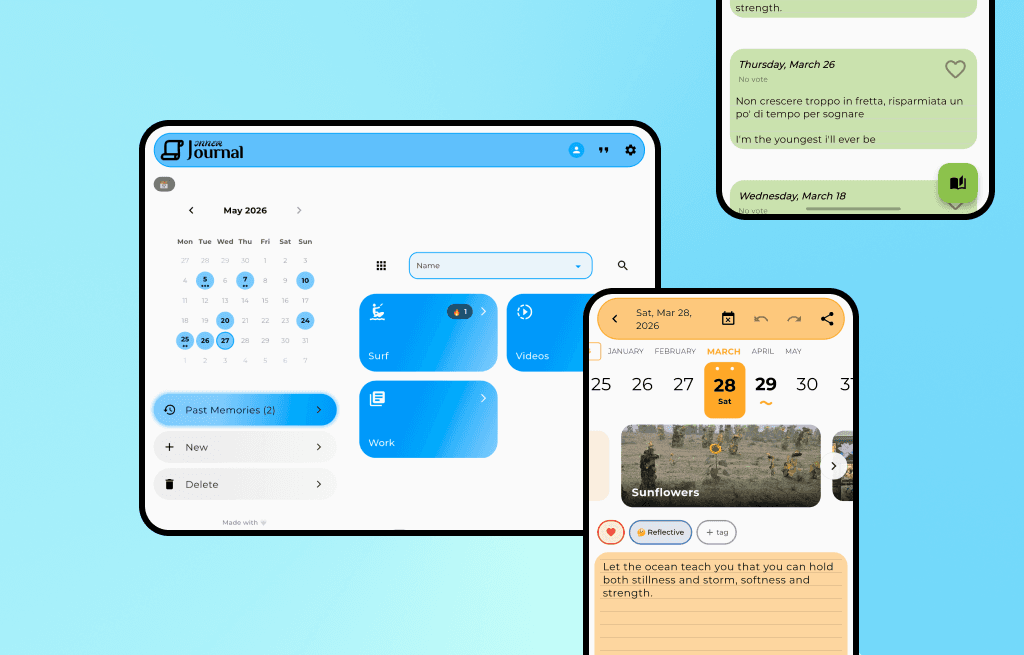
Hi, I'm Rick, and I built this app.
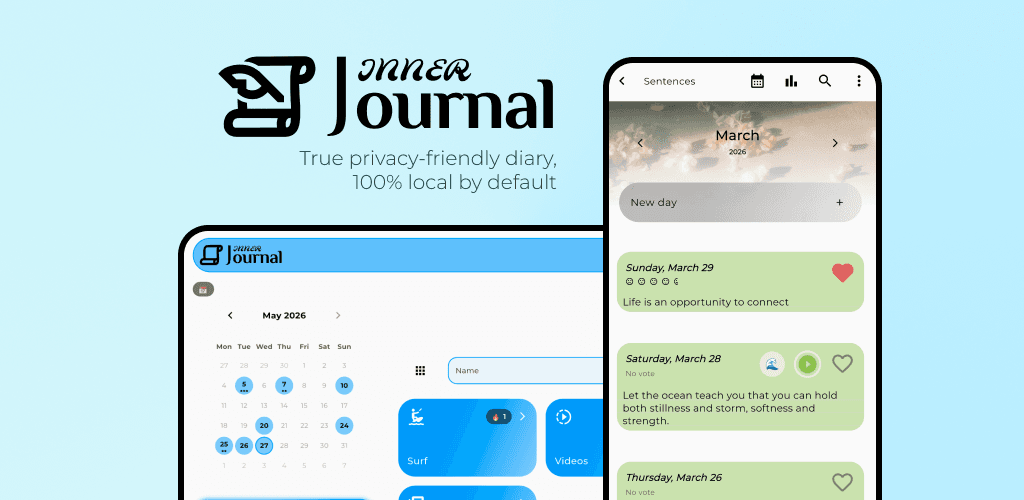
At one point I was keeping my diary in a Word document, because nothing else felt like mine. As a developer and designer, I decided to build the journal I wanted: one where you own your data, and where no one trains an AI on your entries.
The app has been on Android since 2021. The web app came next, and iOS followed in June 2026.
App store reviews are full of people who can't export their own writing, or who lost features to a new paywall. I tried to take those frustrations one by one and design around them. These are the principles Inner Journal is built on.
Deep customization
Most apps give you a light mode and a dark mode. Inner Journal gives you over 250 colors across 20 families, 20 fonts, paper-like page patterns, and control over the calendar, the day cards and much more. With Plus you can also switch the whole app to a different style, like Glass or 3D.
It's a small thing, but a diary you like looking at is a diary you open.
Writing is free, and so is most of the rest
I built the app so that everyday journaling never hits a paywall. Free includes:
Unlimited diaries and entries, with a mood and a day emoji for every day
Photos (up to 50 a day) and voice notes, which you can transcribe on your device
The formatting toolbar: bold, italic, headings and quotes
Charts and statistics about your moods and writing
The offline AI assistant: month overview, ask your month, suggested mood, dictation and rewrite
PDF and Excel exports, plus local and Google Drive backups
Cloud sync for 2 diaries of your choice, and end-to-end encryption on every account
Importing your history from Apple Journal, Diarium or Daylio
Full visual customization
Some extras help me keep working on the app full time. Day Blocks lets you write a day in several parts, Day Tags adds tags you can filter by, the Rich editor adds live preview, tables, links and your choice of heading levels, and the Home Calendar shows every diary in one calendar. All of them come with Plus, and each can also be bought once and kept forever.
Privacy and AI that stays on your phone
This was my biggest priority. Your diary lives on your device first. It only leaves when you turn on sync or choose a backup, and synced diaries can be end-to-end encrypted with a passphrase only you know. The details are on the private journal page.
I don't think a diary needs an AI. But used carefully, it can point out things about your month you'd miss, or ask you a better question about your day. Small AI models now fit on a phone, so Inner Journal runs its assistant on the device: nothing you write is uploaded for it, and once set up it works offline. You need a supported device, and on Android a one-time model download. I wrote more about that choice in on-device vs cloud journaling.
Pricing that doesn't punish you for writing
Inner Journal has no ads. Two diaries sync across your phone, tablet and the web for free, you choose which two, and you can change your choice later. If you want every diary synced and every extra feature, there's Plus, monthly, yearly or as a one-time lifetime purchase. If you'd rather not subscribe, the four extras above can each be bought once. The Plus page compares Free and Plus side by side.
I'm one developer, not a big company, and I'd rather earn your trust than squeeze your wallet. I hope you find it useful.
The comparison
If you're paying a lot just to sync your text, or you're uneasy about cloud AI reading your entries, here's how the four compare.
Competitor details checked September 2026. These apps change their plans often, so check their pricing pages before you decide.
Feature | Day One | Journey | Notion | Inner Journal |
|---|---|---|---|---|
Best for | Apple ecosystem | Android and PC sync | Do-it-yourself setups | Privacy and customization |
Pricing model | Subscription needed for sync | Subscription | Free or subscription | Free sync for 2 diaries, then subscription or one-time unlocks |
Data privacy | E2E encryption, sync is paid | E2E encryption offered | Standard cloud | Local first, free E2E encryption |
AI | Paid Gold tier, some on-device on Apple devices | Journal Coach prompts | Cloud-based, paid | On-device and free |
Customization | Low (fixed themes) | Low | High, but complex | High (250+ colors, 20 fonts, app styles) |
Offline | Yes | Yes | Partial | Yes |
Which one should you pick?
If you live entirely in Apple's world and don't mind a subscription, Day One is excellent. If you want a spreadsheet-style life system, Notion will reward the setup time. If you want a private, good-looking diary that works on Android, iPhone and the web without paying to sync your first diaries, that's the one I built.
It works in 20 languages, and if you're coming from Apple Journal, Diarium or Daylio, you can bring your entries with you.
Download Inner Journal free on the App Store or Google Play.
Have feedback, or something I got wrong? I read everything, so reach out from inside the app or at contact@journalpersonaldiary.com.
Built with love 🤍 Rick